

Business Central Development Serie - Part 2: Using AI for BC development
How to effectively use AI tools for Business Central development - guidelines, tools, architecture considerations, and avoiding common pitfalls
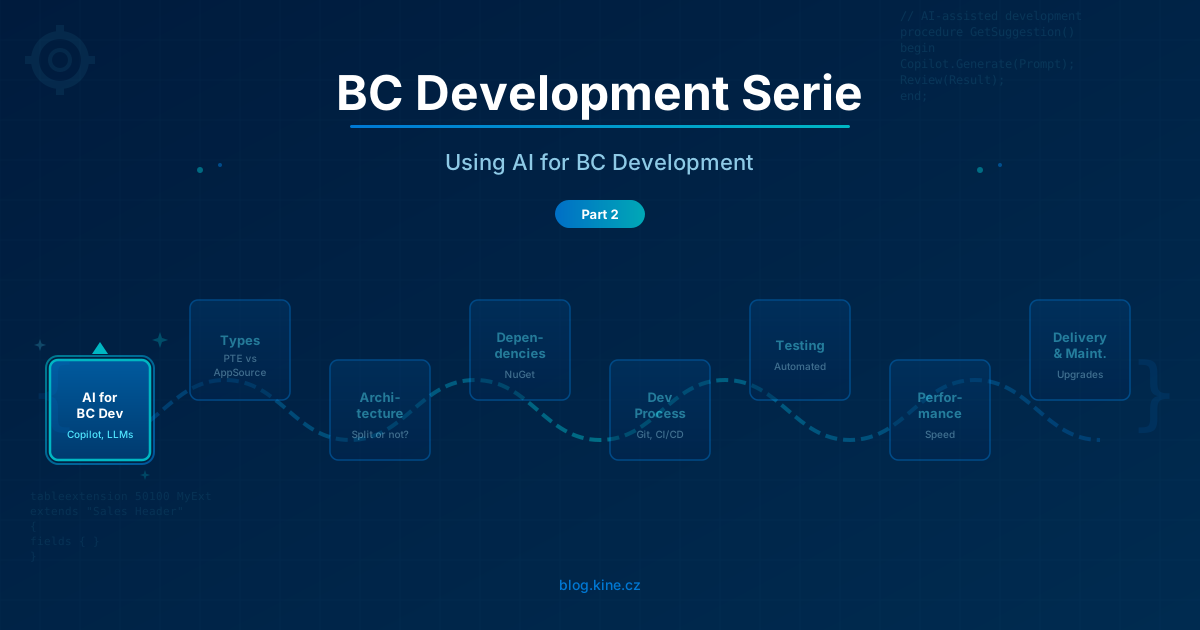
Welcome to the second (or first? May be error by 1…) part of the Business Central Development Serie! In the introduction (aka part 1) I explained why I started this serie and what I want to achieve with it. In this second part I will start with the first topic from the plan - Using AI for BC development.
AI tools are becoming more and more popular among developers. They can help you to write code faster, to find bugs, to learn new things. But they are not magic. They are tools which can be very useful if you know how to use them, but they can also lead you to problems if you do not understand their limitations and how to get the best results from them.
I am a beginner in this AI world and I see much better experts in vibe coding extensions for Business Central. But I already see the gain in productivity and what I am able to deliver thanks to AI. But I also realise that using AI to write code is just a small piece of the puzzle.
AI is good servant but bad master

As always, everything can be used for good or for bad. In good way or wrong way. AI tools are no exception. They can be very helpful if you use them as a tool to assist you in your work, but they can also lead you to problems if you rely on them too much or if you do not understand their limitations.
Some people think that they can use AI to create the solution for them easily and they do not need the expensive experts anymore. They just need to ask AI to write the code and they will have the solution. But it is not that simple. Even I have heard that it is “recommended way by Microsoft” to do so. If someone tells you “jump from the Window”, will you jump? Or you will first check that you are safely tied to the rope? You need to apply same to “use AI”.
AI can write code for you, but as always, it will do only what you ask it for. And from my experience, if you want to make someone angry, “do exactly what he ask you to do”. If you do not know what to ask, if you do not understand the problem, if you do not understand the solution, if you do not understand the consequences of the solution, you will get a code which is working, but it may not be the right solution for your problem. It may be a solution which is:
- not maintainable
- not performant
- not secure
- not following best practices
And then you will have problems in the future when you need to maintain it, when you need to fix bugs, when you need to add new features, when Microsoft change something in the platform/standard code.
Do not trust the hype you can see on internet. Yes, it works, it works best for Proof of Concept, fast prototyping, learning, but it is not a replacement for understanding the problem and the solution. For using it for production code, you need to understand what you are doing, what you are asking for and what you are getting.
Just today I saw some articles how AI is bad in maintaining code, that most of the time it breaks something else when adding new feature. I know that it will be much better in future, but we are not there yet.
Security and data privacy
Before we go further, one important topic which is easy to overlook - security and data privacy. When you are using AI tools, you are sending your code (and may be even data) to external services. And as Business Central partners, we often work with sensitive customer data.
Few things to keep in mind:
- Enterprise vs. personal subscriptions - enterprise plans (like GitHub Copilot Business/Enterprise, Claude Team/Enterprise) typically do not use your code for training. Personal/free plans may have different policies. Check the terms of service for your specific tool.
- Do not send customer data to AI - never paste real customer data, credentials, connection strings or license keys into AI chat. Use anonymized or dummy data when you need to explain data-related problems. And it even means “do not use AI to anonymize customers data”.
- Have a company policy - your company should have a clear policy about which AI tools are approved, what can and cannot be shared with them, and how to handle sensitive code. If you do not have one, create it.
- GitHub with data residency option - if you are using GitHub, do not forget that there is data residency option. If you use only GitHub.com, data are in US. To be able to choose where the data are stored, you need to buy GitHub with data residency (thus using ghe.com). And it have own challenges to solve.
This is not a reason to avoid AI tools. It is just something to be aware of and handle properly.
Corner stone - guidelines, rules, best practices
Before you start using AI for writing code, you need to have some guidelines, rules and best practices in place. You need to know what are the important things for your solution, what are the must-haves and what are the nice-to-haves. You need to have some standards for your code, for your architecture, for your testing, for your performance.
Part of the instructions is even workflow for the agent. For example, if you are using Azure DevOps Work items to describe user stories etc., it is good to describe how the agent should work with the Work Items, when to switch the status, where are acceptance criteria.
Why is this so important?
In general, if you are ready for new developers in your team in a way that everything they need to know for their work is described in some documentation, then you are ready to use AI for writing code. Because you can use the same documentation as a base for your instructions for AI. If you do not have such documentation, you need to create it first or get it from someone else.
Just take the AI Agent as your virtual team member. You need to onboard it, you need to give it the guidelines, rules and best practices, you need to review its work, you need to test its work. It is not a magic tool which will do everything for you without any input from you.
What should the guidelines include?
Concrete examples of things you should describe for your AI agent:
- Naming conventions - how to name tables, pages, codeunits, fields, functions, variables (e.g. following the official guidelines)
- Architecture rules - when to create new codeunit vs. extend existing one, how to handle events, when to use interfaces, preventing copy-paste, how to structure the solution, use SOLID principles…
- Error handling - how to use Error(), Message(), how to handle try functions, what telemetry to add
- Performance rules - “always use SetLoadFields”, “never use RecordRef when you can use specific record”, “always filter before FindSet”, use corret ReadIsolation mode, use Queries for data processing, address the fields directly in report dataset etc.
- Permission sets - how to structure permissions, what objects to include, when use the inherent permissions
- Testing - what test coverage is expected, how to structure test codeunits
These rules can be placed into files like .github/copilot-instructions.md for GitHub Copilot, CLAUDE.md for Claude Code, .cursorrules for Cursor, or similar configuration files depending on your tool. Example:
## AL Code Guidelines
-**General**: Follow event-driven programming model; never modify standard application objects. Use clear, meaningful names and maintain consistent code structure. Prioritize performance optimization and proper error handling. Focus on main application implementation by default.
- **Performance**: Filter at DB level, use temp tables, Query objects, bulk operations, use SetLoadFields on records and minimize locks by using ReadIsolation explicitely for read operations on records. Filter data early, use temporary tables, avoid unnecessary loops
- **Maintainability**: Clear naming, focused procedures, encapsulate complexity, minimal subscriber code. Give priority for embedding code into descriptive function before adding comments to explain the code
- **SOLID**: Single responsibility, extensibility via events/interfaces, depend on abstractions
- **AL Patterns**: Use events (OnBefore/OnAfter), ErrorInfo, enums over Options, proper permissions
Your starting point could be this site. It includes even list of community sources and tools you can use in your process.
Centralizing the instructions
For GitHub Copilot or Claude you need to have some system how to maintain the instructions centrally for your team. I do not want to have different instructions per each developer or repository. I want everyone to use same instructions for all repositories. There are some standard way how to do that which are using git submodules and symlinks, but I wanted just some simple way. Thus I vibe-coded my own VSCode extension, which is able, based on one centralized setting, to synchronize centrally maintained instructions into any repository, when developer opens the repository (you can gitignore the instruction files if you want, because they will be synced again every time). Check my Kine Instruction sync extension if you want to use it or get some inspiration for your own solution.
Tools
To develop for Business Central with AI assistance you can use different categories of tools. Let me split them by how they work:
Code completion tools
GitHub Copilot is the most widely used tool for code completion. It integrates directly into VS Code, provides inline suggestions as you type, and has a chat feature where you can ask questions about your code. For Business Central developers it is great starting point because it works inside the AL Language extension environment you already use.
Agentic coding tools
GitHub Copilot in Agent mode, Claude Code, Cursor and Windsurf are taking different approach. Instead of just completing your current line, they can work on bigger tasks autonomously - create whole files, refactor across multiple files, run commands, analyze errors. They are more like a junior developer who can follow instructions and work independently on a task.
I personally started with GitHub Copilot and I am also using Claude Code. Each has its strengths and they can complement each other.
MCP servers - giving AI the Business Central context
But these tools without additional context will be just dumb code generators. They do not know anything about Business Central objects, about standard app code, about how Business Central works. To be able to produce extension which connects to existing business logic of Business Central, you need to give them access to the existing code and give them some know-how.
This is where MCP servers (Model Context Protocol) come in. They provide the AI tool with:
- Access to symbols and metadata of base application objects (tables, pages, codeunits)
- Knowledge about object numbers, field numbers, enum values which are already used, tool to reserve object IDs from given range
There are already community MCP servers available for Business Central. Check the tools mentioned on the alguidelines.dev site for current options.
Without MCP or similar context, asking AI to “create a page extension for Customer Card” will give you something which may look correct but will not compile because the AI does not know the actual structure of the Customer Card page. With MCP, the AI can look up the real page structure and produce working code.
How I use AI in my daily BC development
I want to share how I use AI in my development workflow today (but it is developing every week). It is not the only way, but it gives you a practical starting point (I am on beginning of this journey, so I am still learning and optimizing my process):
- Understand the requirement - I ask AI to read the Work Item, user story or bug description and ask if everything is understandable, there are no missing things or things which need clarification. If there is something missing, AI gives me the question with some alternatives and I pass these questions back to responsible consultant. This is very important step, because if the requirement is not clear, the code will not be correct.
- Let AI analyze and plan - I ask the AI to analyze the requirement, read existing code and create the implementation plan.
- Review the approach - before any code is written, I review what the AI proposes. Does it make sense? Is it following our architecture? Is it using the right patterns? This is the most important step. If I want some change, I ask AI to make it and write back the changes to Work Item to document the change.
- AI writes the code - once I agree with the approach, I let the AI write the code following my guidelines. I provide the guidelines file and the context about our naming conventions, architecture rules etc.
- Review and iterate - I review the generated code. Sometime it is perfect, sometime I need to ask for corrections or refine parts manually. Do not accept code you do not understand. Part of the loop is updating the Work Item with decissions made during the implementation and asking AI to update the implementation accordingly.
- CI/CD validates - the code goes through our build pipeline which compiles it, runs tests, checks for code analysis warnings. This catches many issues automatically.
- Human code review - another developer reviews the Pull Request. AI can assist here too (more about this below).
The key point is: AI is my assistant in each step, not a replacement for any step. I still need to understand, review and validate. Fill autonomy loop is something for the future. For now, I am in control of the process and I use AI to assist me in the parts where it can be most helpful.
How to talk to AI effectively
One of the most common frustrations I hear from developers is “AI does not understand what I want”. In most cases, the problem is not in the AI, but in how we communicate with it. Few practical tips:
- Provide context - tell the AI which BC version you are using, which objects are involved, what the current behavior is and what you want to change. “Fix the bug” is bad prompt (it is same like when someone tells you “It doesn’t work”). “In codeunit 50100, function PostSalesOrder, the VAT calculation on line 45 is wrong when currency is not LCY - fix it to use the exchange rate from Currency Exchange Rate table” is much better. Or pass the error message including the call stack directly…
- Reference specific objects - use table/page/codeunit numbers, field names, function names. The more specific you are, the better the result.
- Ask for explanation first - before asking AI to write code, ask it to explain its approach. “How would you implement this? Explain the approach before writing code.” This way you can correct the direction before the code is written.
- Show examples - if you have similar existing code which follows your patterns, point the AI to it. “Follow the same pattern as in codeunit 50200 function ProcessPurchaseOrder.”
Extension Architecture in time of Agentic development
In my article Architecture of PTE - Split or not to Split? I explained how to think about architecture of your customer solution (or even AppSource product). Is Agentic development changing something on this?
In my opinion not much. It adds another dimension to the decision:
- If you are working on a big monolithic app, agent can have problem with context size. It is harder for AI to understand and navigate a large codebase.
- If agent is working with smaller apps, it will be easier to understand the context. But in monolith you do not have problems with implementing more complex requests (which are changing multiple areas of the app).
- In case of multiple depending apps you need to handle the splitting of the requirement to separate changes in separate applications. It means it is more complex to use e.g. cloud GitHub Copilot to develop the solution (leading to multiple depending Pull Requests). To solve this, you can use monorepo. But again, it have own PROs and CONs.
This is general problem of using Agentic development in MultiRoot workspaces. But not impossible to solve and the PROs (easier maintenance, smaller apps to deploy, single responsibility principle) can still overweight the CONs. It is just something to consider when you are thinking about your architecture and your development process.
My articles SaLi part 1 and SaLi part 2 are describing rules we are using when creating our solutions. It is not hard to make instructions for agent to keep the rules in place and keep the dependencies under control even when we are splitting the solution to multiple apps. Any rules can prevent Agents go wild.
Developing without CI/CD solution is not a good idea
If you want to automatize your code writing process, you first need to automatize your build and delivery process. If you do not have CI/CD solution in place, you will have problems with testing and deploying the code which is generated by AI. And in case something goes wrong. And do not forget - you are still responsible for the code you deliver to the customer. Thus you need to have way how to control what your virtual colleague is producing.
We will talk about CI/CD in more detail in the future parts of this serie, but I want to mention it here because it is so important.
Code review with AI
One thing which I want to highlight separately - AI is not only good for writing code, it is also very good for reviewing code. And this is may be even more valuable use case than code generation itself.
You can use AI to:
- Review Pull Requests - ask AI to review the diff and look for potential issues, anti-patterns, performance problems
- Check for BC-specific anti-patterns - things like missing SetLoadFields, wrong use of temporary records, missing error handling, commit in wrong place
- Validate against your guidelines - “does this code follow our naming conventions and architecture rules?”
- Explain complex code - when you are reviewing code from a colleague (or from AI), you can ask AI to explain what the code does and why
This is a great way to improve quality of all code in your team - not just the AI-generated one. And it is especially useful for less experienced developers who are learning the patterns and best practices.
Testing with AI
I will cover testing in much more detail in a later part of this serie, but I want to mention it here because AI changes the testing game significantly.
Writing tests was always one of those things which developers skipped because of time pressure. “We do not have time for tests, we need to deliver the feature.” But with AI, writing tests becomes much faster:
- AI can generate test codeunits with test functions for your business logic
- It can create test scenarios based on your requirements
- It can help with test data setup which is often the most tedious part
- It can suggest edge cases you may not have thought of
The excuse “we do not have time for tests” is becoming less valid. If AI can write the feature in 30 minutes instead of 4 hours, you have time to let it write the tests too. And tests are exactly the kind of code where AI shines - structured, repeatable patterns, clear expectations.
More about testing strategy and approach in the future parts of this serie.
Agentic vs Manual development
To be able to correctly use agentic development, you need to set your KPIs and your goals. Because sometime managers tends to prioritize “productivity” over “quality” (“oh, look, I am able to deliver this functionality in day instead week”).
But the main focus should be technical debt, performance, maintainability and delivered value to customer. Agentic development helps you to deliver richer solution, because it is just few minutes to produce things which were mostly skipped by developers because time/cost pressure, like:
- Automatic tests
- Technical documentation
- User documentation
- UAT scripts
But it can also lead you to deliver more code which is not following best practices, which is not maintainable, which is not performant. Sometime developers are losing time by trying to explain the AI Agent what to fix instead of writing two lines of code manually. Sometime it is just faster to write the code manually than to explain the AI what you want.
It is clear that companies which will not use Agentic development will be less competitive on the market. But it is also clear that companies which will use it without understanding it, without setting the right guidelines, rules and best practices, without setting the right KPIs and goals, without having the right architecture and CI/CD solution in place, will have problems with maintainability, performance and technical debt in the future. It is just a matter of how you are using it.
Mind the gap - raising the next generation of developers
And do not forget that you still need to have human developers who understand the problem, understand the code, architecture. But “mind the gap” - if we will use AI Agents to write the code, how we will raise the human developers? If we remove the junior developers from the process by replacing them with AI Agents, how we will have the next generation of developers who will understand the code, architecture, best practices?
Yes, it is similar problem like when calculator didn’t replaced mathematicians, but it is still something to think about. We need to find the ways how to bridge this gap.
Limits
I have hit the limits mostly when the solution needed to connect to standard Business Central processes. Using journal posting or document posting codeunits, or calling manufacturing planning - all this I needed to code manually or give specific instructions to AI. It was not able to figure it out correctly by itself. Similar conclusion have for example Steven Renders in his article Where GitHub Copilot Actually Saves Time in AL Projects.
Responsibility
And the last but not least - responsibility. You are still responsible for the code you deliver to the customer:
- You are still responsible for the performance
- You are still responsible for the maintainability
- You are still responsible for the security
- You are still responsible for the bugs
- You are still responsible for the technical debt
- You are still responsible for the value you deliver
- You are still responsible for using the Business Central standard processes
You can blame AI, but human is the one responsible. Using AI will not remove your responsibility. It could make it just worse by making much bigger damage in much shorter time. So be careful how you are using it!
Summary
Instead of repeating myself, here are the main points:
- AI is a tool, not a magic solution - it is as good as the instructions you give it and the review you do on its output
- Set up guidelines and rules before you start - if you are not ready to onboard a new developer, you are not ready for AI
- Be aware of security and data privacy - know what you are sending to AI services and have a company policy
- Choose the right tools - code completion, agentic coding, MCP servers all have their place
- Have CI/CD in place - you cannot automatize code writing without automatizing build and delivery
- Use AI for code review and testing too - may be even more valuable than code generation
- Focus KPIs on quality, not just speed - technical debt, maintainability and delivered value matter more than “features per day”
- You are still responsible - AI does not change your responsibility for the code you deliver
- Think about the next generation - we need to find ways how to raise developers in the AI world
We all are learning how to use these tools. The World is changing and we cannot undo the change. And the change is faster than before. But as developers we know that “only constant in the World is change”. We should adapt and use it to our advantage - but responsibly.
I am very curious about your experiences with AI in Business Central development. What tools are you using? What works for you and what does not? Do not hesitate to contact me, I am open to discuss!
Let’s embrace the future of development together, but let’s do it wisely!


Comments